Settings
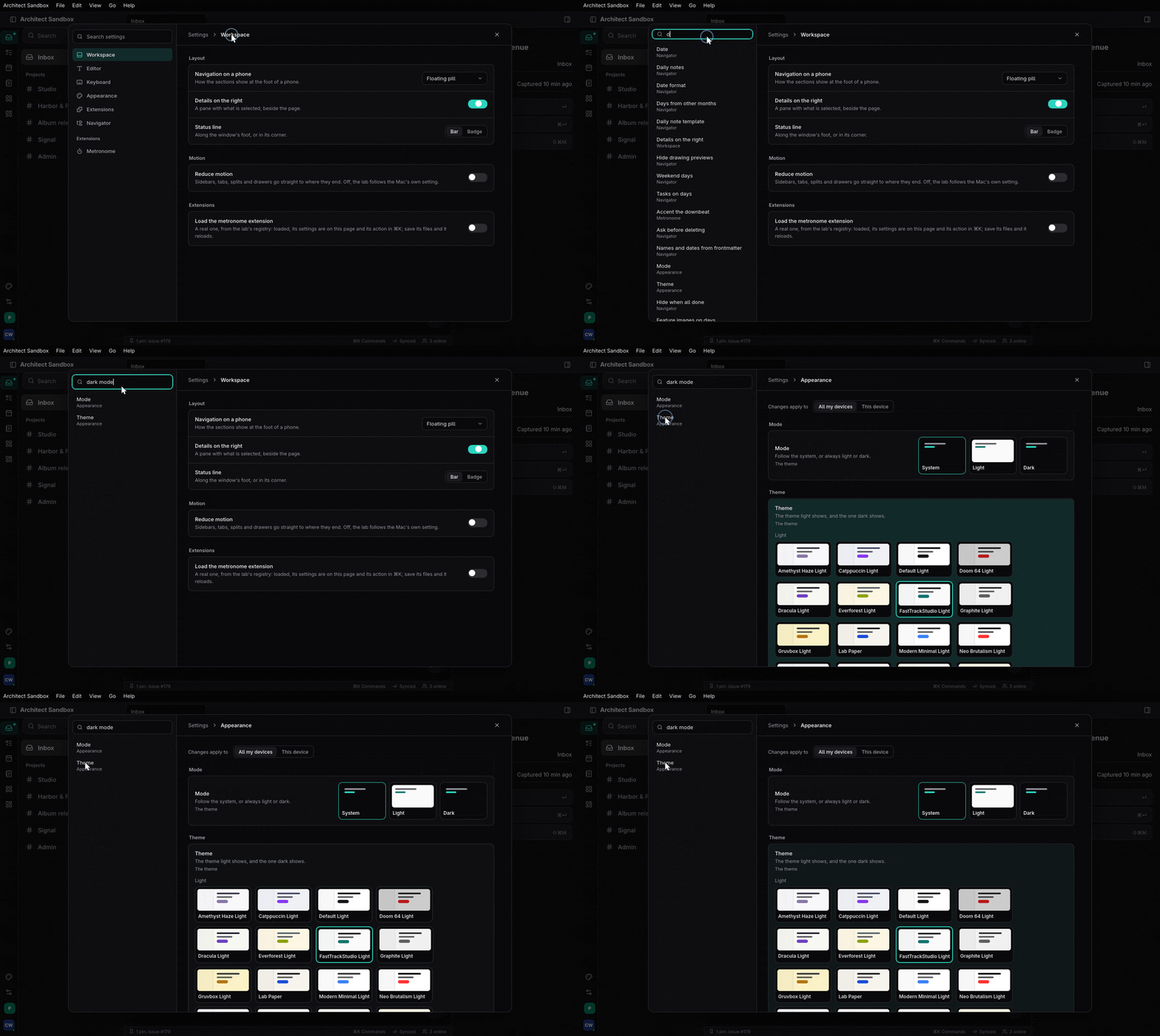
Settings declared once (a struct, or data an extension registers), held by scope over an org's defaults and locks, stored on the device, the project or the person's synced document, and drawn as one settings page.
What it is and when to use it#
architect-settings declares a setting once. #[derive(Settings)] on a facet
struct turns its doc comments into the words on the page, its field types
into controls and its Default into the defaults; an extension can register
a Section as data at run time instead. Values are held by scope (Device,
Synced to the person’s other devices, Project) over an org’s defaults and
locks; ScopedValues::set checks and clamps a value and says which scope it
went to. The settings page (⌘,) lists every section, searches by words and
aliases, and opens straight to a row.
Use it for anything a person edits. For a private value the app keeps for
itself (a token, window state), architect::settings::Store<T> writes one
typed file. Design: The settings page and
Settings files.
A minimal example#
The model and the derive are wasm-clean; store adds the device and project
files, synced the person’s document, ui the hooks and page. From
features/settings/tests/derive.rs:
use architect_settings::{Registry, ScopedValues, Settings, Value};
use facet::Facet;
/// Editing
#[derive(Debug, Clone, PartialEq, Eq, Facet, Settings)]
#[settings(id = "editing", scope = Synced)]
pub struct EditingPrefs {
/// Tab width
#[setting(range = 1..=8)]
pub tab_width: u8,
/// Wrap lines
pub wrap: bool,
}
impl Default for EditingPrefs {
fn default() -> Self { Self { tab_width: 4, wrap: false } }
}
let mut registry = Registry::new();
registry.register(EditingPrefs::section())?;
let mut values = ScopedValues::new();
values.set(®istry, "editing.tab_width", Value::Int(2))?; // Ok(Scope::Synced)
assert_eq!(EditingPrefs::read(®istry, &values).tab_width, 2);
In the app (features ui and store), one provider at the root and the page
mounted once; a view reads and writes typed:
let settings = use_settings_provider(registry, load_values,
    Some(Callback::new(move |c: SettingsChange| save(c.scope, c.values))));
rsx! { SettingsPage {} }                          // registers APP_SETTINGS, ⌘,

let editing = use_settings::<EditingPrefs>();
editing.update(|e| e.wrap = true);
Code tour#
features/settings/src/derive.rsSettings(section,read,entries) andsection_of: aSectionfrom the struct’s facet shape.features/settings/src/model.rsSection,Setting,Control,Value,Scope: settings as data.features/settings/src/registry.rsRegistry:register(refuses a key clash),remove_owner(an extension’s sections leave with it),search.features/settings/src/values.rsScopedValues(set),OrgSettings(defaults and locks),Values.features/settings/src/store.rsDeviceValues,ProjectValues: values on disk.features/settings/src/synced.rsDocValues(save_keys,on_remote_change),synced_doc_id: the person’s values in a CRDT document.features/settings/src/ui.rsuse_settings_provider,use_settings,use_setting,SettingsHandle(show_setting,replace,set_org),SettingsPage.crates/architect/src/settings.rsStore,FileKv: one typed file, written atomically and skipped when unchanged.
update(|e| e.wrap = true) compares the struct’s entries before and after
and sets each changed key through the handle. ScopedValues::set checks the
org’s lock and the value, clamps it, and picks the scope. The provider’s
on_change gets a SettingsChange with that scope and its values, and the
app saves them (DeviceValues::save, or DocValues::save_keys for the
synced scope). Readers derive the struct again with read, so every view
that uses it re-renders.
Tests to read#
features/settings/tests/derive.rs: words, controls and defaults from the struct; typed read and write; storage per scope; an org’s defaults and locks; search; a synced setting crossing two documents.features/settings/tests/settings.rs: an extension registers and removes its section and cannot take the app’s keys; restore defaults; search by alias.crates/architect/tests/settings_store.rs:Storeround trip, a crash mid-write, 0600 files, the config-dir override.features/extensions/tests/metronome.rs: an extension’s settings come and go with it.
Status#
Done in architect; the sandbox uses it (apps/ui/src/settings.rs). Not yet:
Option<T> and key-chord fields (the derive takes booleans, numbers,
strings, unit enums and one level of nested struct; other fields keep their
default); which org’s settings apply in All; an admin page.
- Task keeps its own preferences (
task:crates/ui/src/prefs.rs); its panels are to become structs on this page. - Studio has its own settings panels, to move the same way.